What is an Asset Tag?
An Asset Tag, (AT#), is a five or seven digit number that Technology Services uses to assist with tracking and managing technology at Kalamazoo Public Schools. From Chromebooks to projectors many varieties of technology will have an asset tag.
Tech Services commonly refers to them as: Asset Tag, Device Number, or even Computer Number.
This example Asset Tag is highlighted to explain the following features:
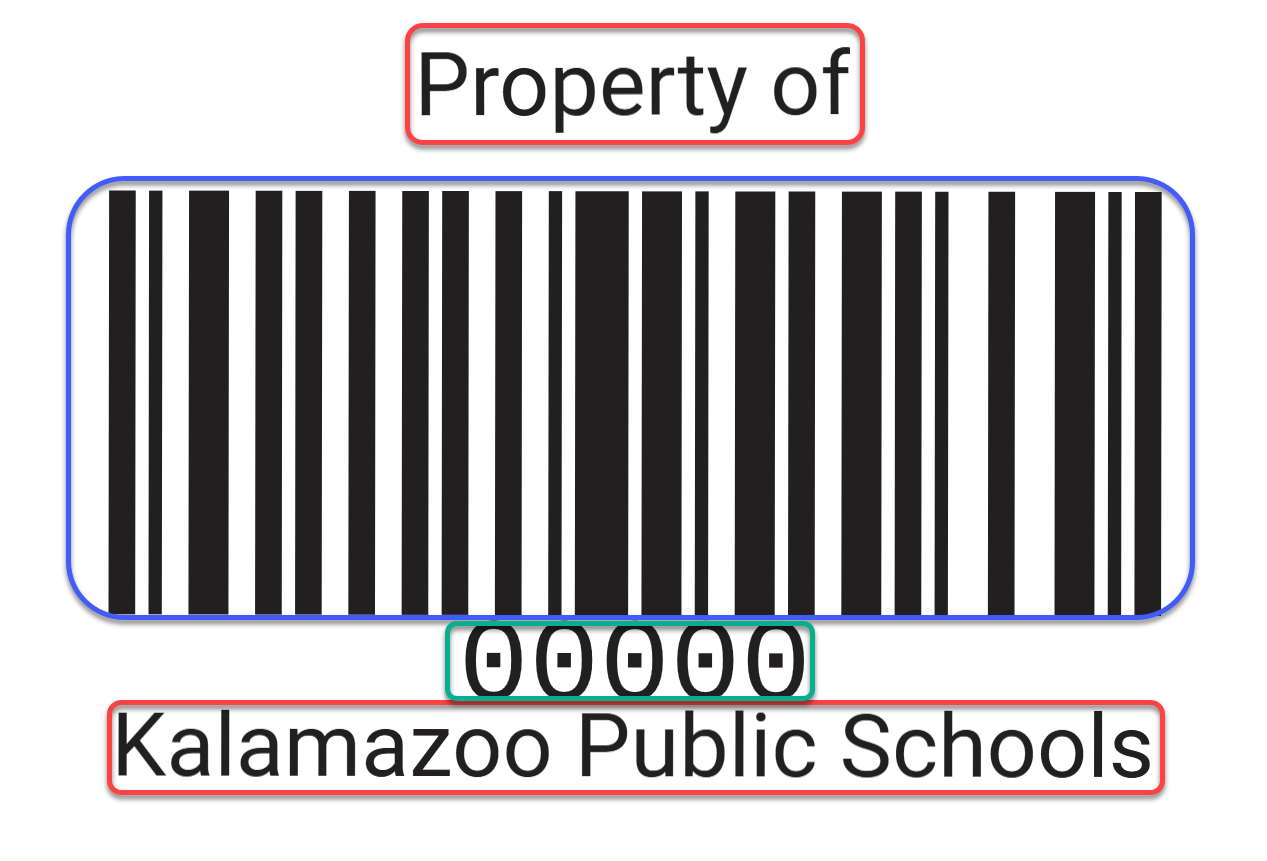
• Circled in RED: Property of Kalamazoo Public Schools
- This writing will be included on all KPS Asset Tags to show it is a piece of technology
managed by Kalamazoo Public Schools.
• Circled in BLUE: BARCODE
- This is the barcode of the device which allows Technology Services to quickly scan a
device and check information about it in our inventory system.
• Circled in Green: Asset Tag Number
- This is the most important feature of the Asset Tag. This number associates the piece of technology with many of our management & tracking systems. Most importantly it allows us to be able to access information about your device, and if needed, remotely access a PC or track a Chromebook when assisting with any issues.
Where is my Asset Tag?
Where the Asset Tag can be found depends on the device. Let's cover the most common devices in-use throughout the district: PCs, Chromebooks, & Laptops.
PCs
PCs may have a silver faceplate or a black faceplate. Typically, all PCs are mounted and secured to the center back of a monitor. It is the black box on which you press the power button to start your PC.
Where: If mounted to the back of your monitor, you'll find a black box sticking out with the Asset Tag on the back of the PC facing outward. 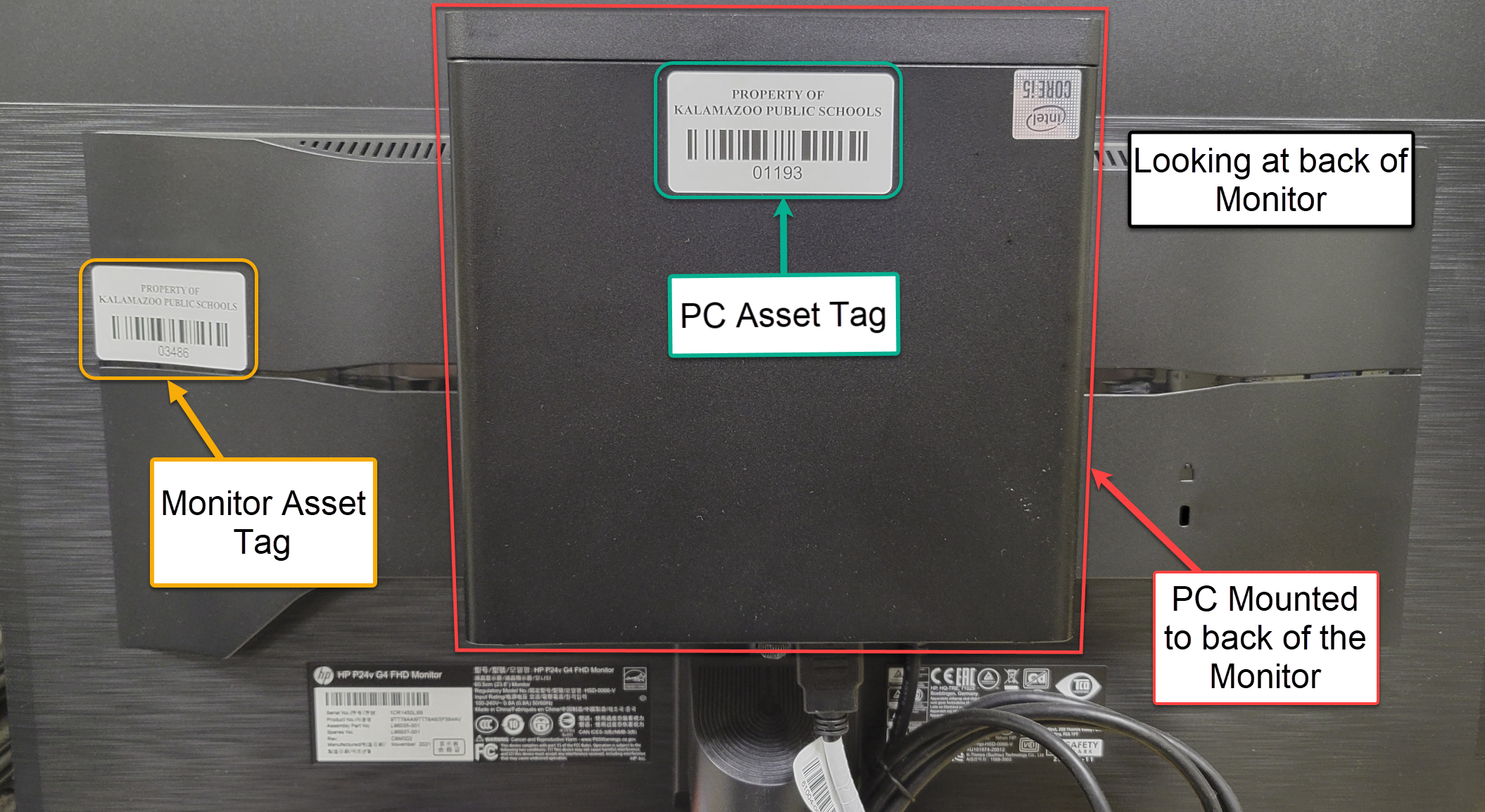
Chromebooks
A Chromebook's Asset Tag can be found in several different spots on the device.
Where:
• The lid of the Chromebook you'll find it etched in near the bottom corner of the KPS
Logo.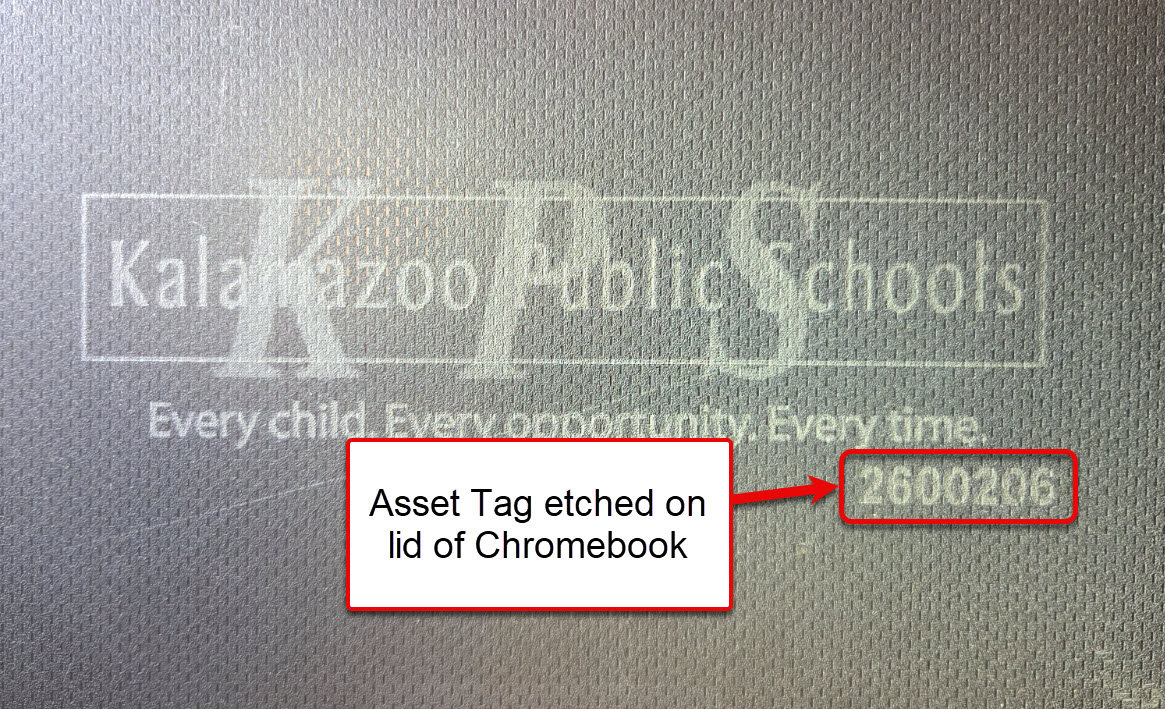
• On the bottom of the device you will find a KPS Asset Tag sticker.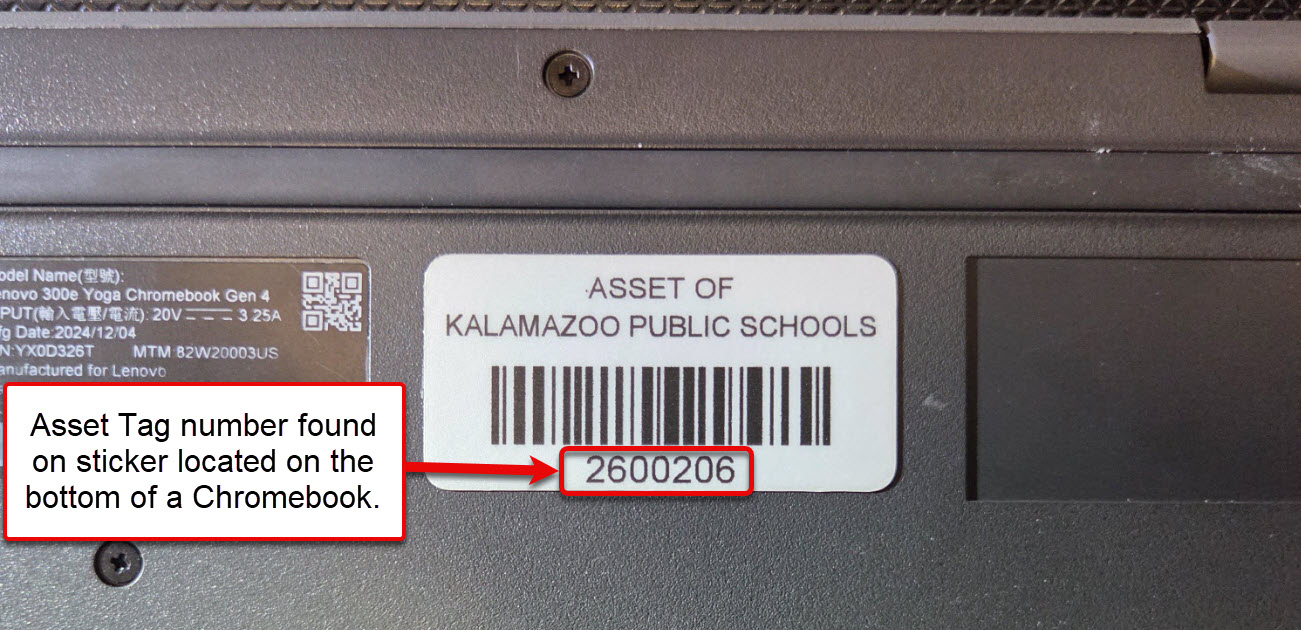
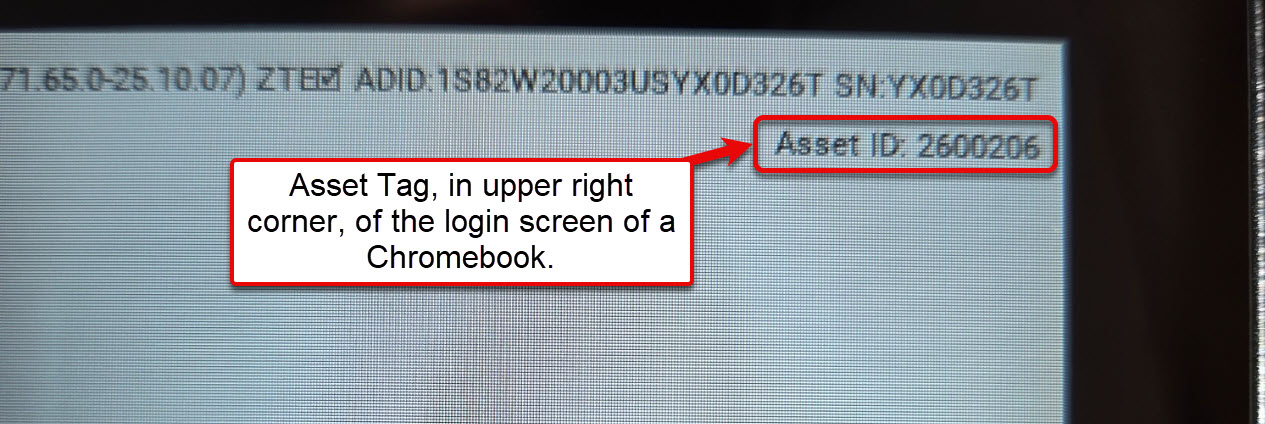
• With the Chromebook open and the device powered on you can find it at the login screen in the upper right corner. It will say "Asset Tag:" followed by the number.