
This guide is for KPS devices only, (Laptops & PCs with WIFI capability), and how to connect it to KPS-WIFI.
You must be logged in before you can connect.
(Yes, if you've signed into a computer before you should be able to login without internet connection)
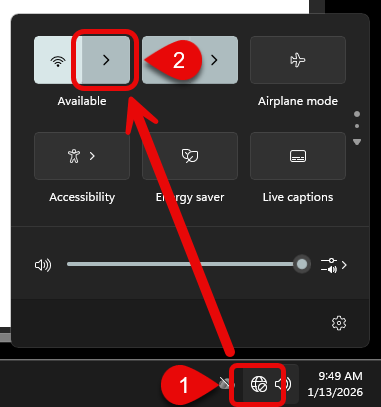
1) Select the Globe symbol in the bottom right side, near the date & time.
2) From the menu that appears, select the arrow next to the WIFI symbol.
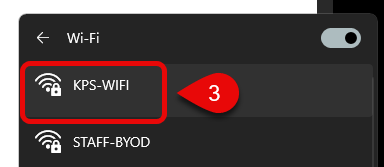
3) Select KPS-WIFI from the list of available WIFI networks.
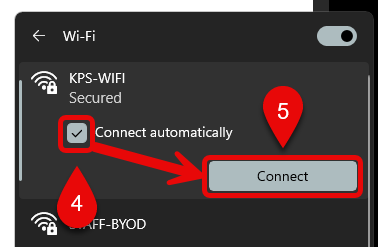
4) Ensure the checkbox for Connect automatically is checked.
5) Select Connect
6) Select Connect again.
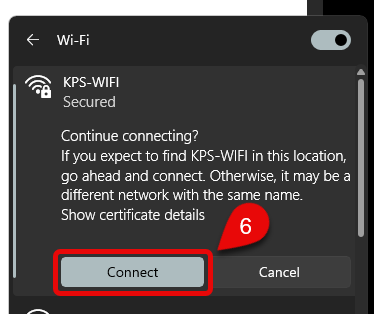
You should now be connected to the KPS-WIFI network.
If you continue to experience issues please submit a Helpdesk Ticket to Technology Services that includes the asset number.
Last Updated: 1/13/2026