
How to use Cybernut?
If you believe you have received a phishing or illegitimate email then please utilize the Cybernut icon from your email sidebar to report the email.
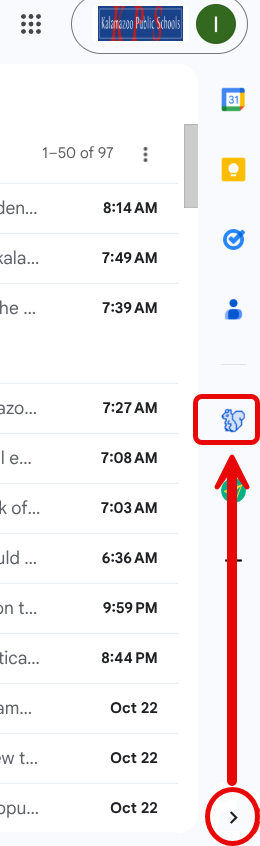
Cybernut Onboarding This is the CyberNut icon and your onboarding video will show you how to use it to report phishing emails.
When you click it for the first time please follow the prompts to allow it to report emails for you.
In the past we asked you to forward emails that were suspicious to the helpdesk but now you just click the squirrel to report it! Sticking with the squirrel/nut theme, reporting phishing emails earns acorns and a spot on the leaderboard for the competitive people out there.
Each user will receive one simulated phishing email per week. These emails will be sent at random times to closely mimic genuine phishing attempts. Below is what you can expect when interacting with these simulations:
• If the simulated phishing email is identified as suspicious, deleted without opening, and not reported, no further action is taken.
• If you identify the email as suspicious and report it using the CyberNut Add-on, you will receive a notification and recognition from CyberNut for your vigilance.
• If you interact with the simulated email, you will be promptly informed that it was a training exercise. A brief micro-training session will follow, highlighting the indicators that made the email suspicious.
• If you report an email using the CyberNut Add-on that is not part of the simulation, it will be escalated to the IT Department for further analysis. You will be notified if any follow-up is required.
Please note that all CyberNut phishing simulation emails are safe, contain no malicious content, and are strictly for training purposes.
This training program is required for anyone with a KPS email address. Please reach out to the Director of Instruction and Informational Services with any questions.